Forum Replies Created
-
AuthorPosts
-
 AakashKeymaster
Hi @fernandomiller,
Can you please share your website url ?
It would be easy for me to share suggestions live.
Thanks
 AakashKeymaster
Hi @fernandomiller,
You are almost there. For button at the top, you have to use
top.Can you please check if it works ?
AakashKeymasterHi Vipin,
I was able to create an account on your site. Username is xobaca3395.
UFW should not block registration as there is no code logic related to user registration in UFW plugin.
Can you please share the exact error you see ? Screeshots would be useful.
Thanks,
AakashAakashKeymasterHi @fernandomiller,
Thanks for using UFW. I think this would be an interesting criteria to add.
I’ll add it in the next version in couple of weeks.Thanks,
AakashAakashKeymasterMarking this as resolved.
AakashKeymasterHi Vipin,
Thanks for using UFW. I saw the video but could not access the site. I do not think the issue is because of UFW. The error information does not mention anything about UFW.
Please try putting the same widget in your sidebar, it would get the same error.
It should be a problem with the widget itself not working on the frontend.
Thanks,
AakashAakashKeymasterHi dcornejo,
The announcement was blocked by the “header”.
That is the reason why it was not clickable.
You can paste the below CSS in your theme settings to move the header down so that announcement is clickable.
@media (min-width: 992px) {
    .header-transparent header.main-header {
        top: 50px;
    }
}
Thanks,
AakashAakashKeymasterHi,
Can you please share the page URL where I can see the announcement ?
Thanks,
AakashAakashKeymasterHi Emma,
Thanks for using Ultimate floating widgets.
We have to deactivate the free version before we activate the PRO version.
Can you please do the same ?
You can find some more instructions in the doc below if needed.Thanks,
AakashAakashKeymasterHi,
Thanks for using Shortcoder.
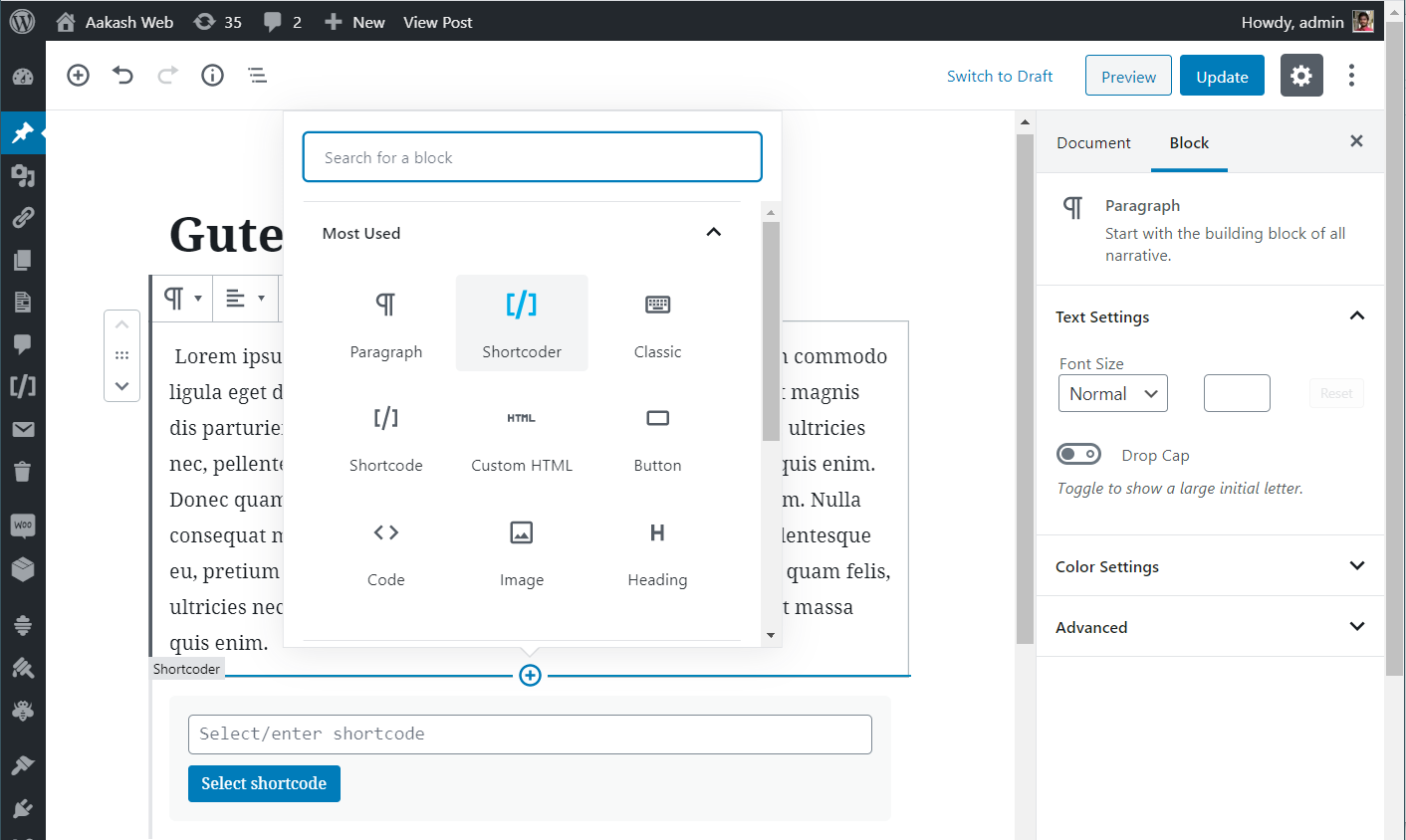
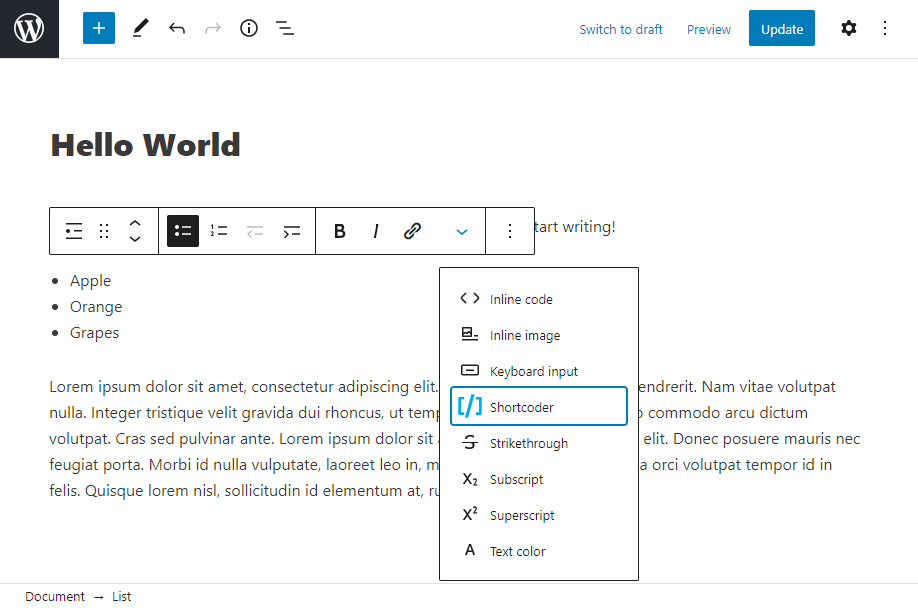
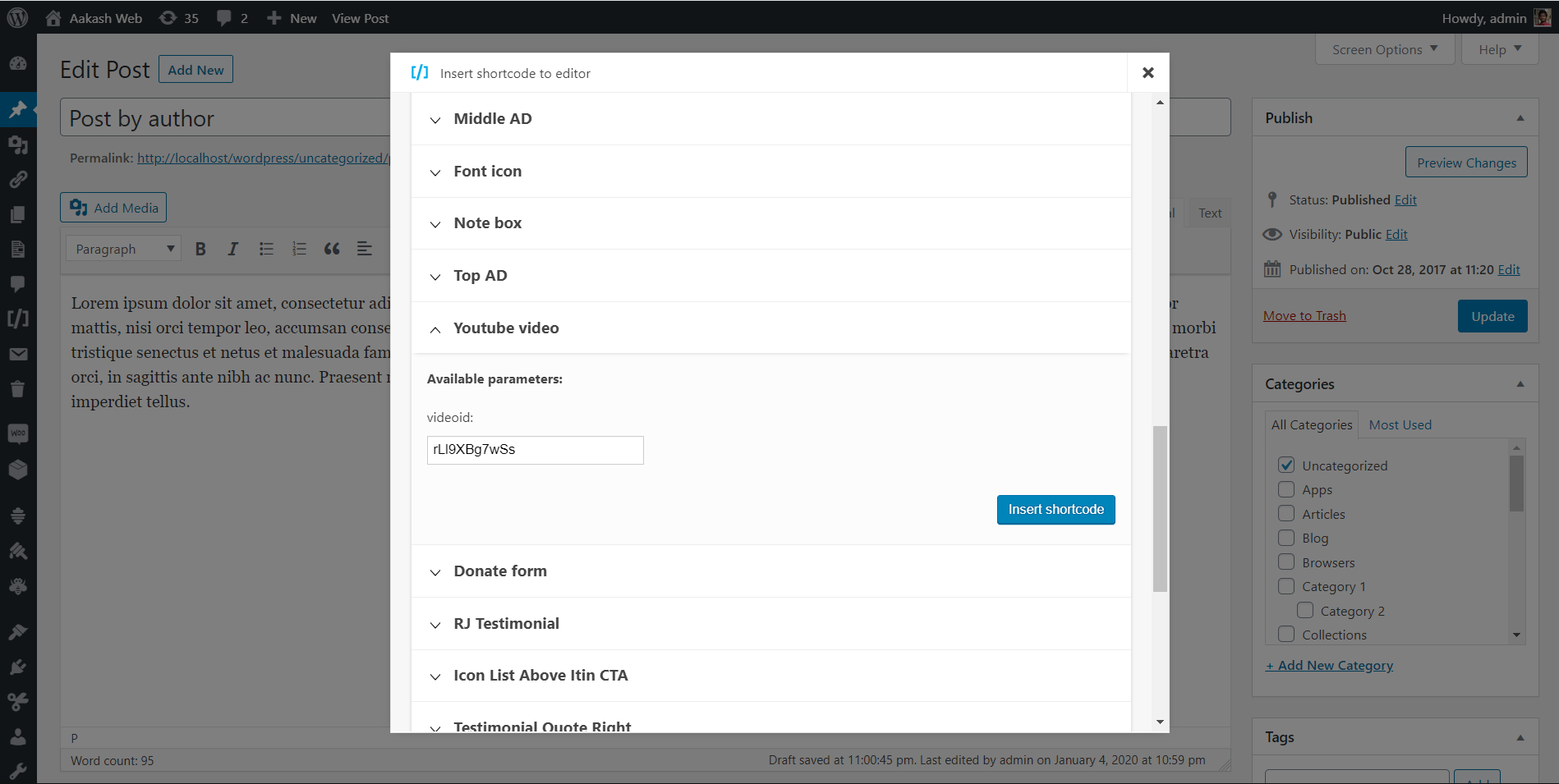
Shortcoder provides toolbar button and block to “select and insert” popup into the editor.
You can find the icon blue “shortcoder” icon in the editor you are working with.
Thanks,
AakashAakashKeymasterHi Kristian,
Thanks for using Shortcoder and for your donation. Happy to receive it 🙂
Regarding the issue, I agree it caused a temp inconvenience for existing users. This change will ensure new users insert all closing shortcode to avoid any issue in the future.
As you have mentioned, I’ll add an option in the plugin’s general settings to save this as a preference.
I’ll try to release the update after WP 5.8 is released which is Jul 20th.
I’ll update this thread, once this option is available.
Meantime, I would suggest to delete the[/sc]part after the shortcode is inserted in the editor.Thanks,
AakashAakashKeymasterHappy that you like Shortcoder and thanks for the kind donation 🙂
Cheers !
Thanks,
AakashAakashKeymasterHi Ariane,
Got it. Right now there is no option to set separate settings for desktop and mobile. It would require lot of changes to implement in code. There is no easy way to suggest a workaround either. I’ll see if I can add this option in the future release.
Thanks,
AakashAakashKeymasterHi Karen,
Thanks for using Shortcoder. Really appreciate the time and effort you have taken to share your observation.
The reason why you are seeing this discrepancy is because of the following reason
When you have open shortcode followed by a closed shortcode, WordPress thinks that the there is only one “closed” shortcode. Rest of the content is considered as “enclosed content” for the first shortcode.
An example:
[sc name="mysc1"]

Some content

[sc name="mysc2"][/sc]
In this case,
some content [sc name="mysc2"]is considered as enclosed content for the shortcode[sc name="mysc1"] ... [/sc]. Hence all the content inbetween is seen missing.This is a known limitation with WordPress itself. It is documented here – https://codex.wordpress.org/Shortcode_API#Unclosed_Shortcodes
So to address this issue, starting Shortcoder v5.5, the “select and insert” popup will always insert all the shortcodes with a closing tag. So that above issue is not observed. You can always use open shortcode, but ensure that there are no closed shortcodes down the page.
I agree that this is a confusion, I’ll add a FAQ to inform users about this and suggest to add
[/sc]tag for their existing shortcodes.Cheers !
Thanks,
AakashAakashKeymasterGood to hear. I’ll ensure this can be disabled his options in the next version.
-
AuthorPosts