What exactly is Super RSS Reader PRO ?
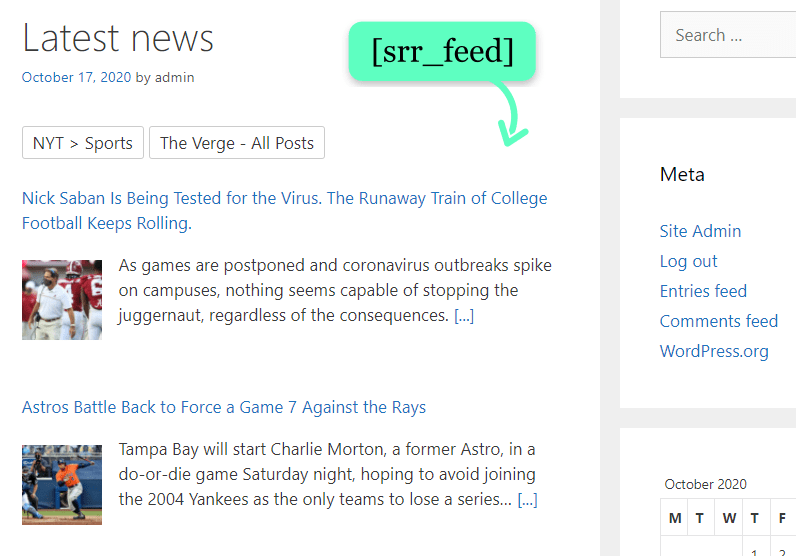
Super RSS Reader PRO is the premium version of the popular Super RSS reader WordPress plugin free version. It is a standalone plugin which includes more advanced features and options to display RSS feed in a WordPress site.
Is there a free version available for the plugin which I can try before purchasing ?
Yes, there is a free version available without PRO features. You can download the plugin from the WordPress repository.
What happens after a purchase is complete ?
You will receive an email with a link to download the plugin. The email also contains the “license key” which you have to use to activate the plugin for automatic plugin updates.
If you have opted to create an account during the checkout process, you can login to your account and download the plugin and get the license key.
If in case you are not able to download the plugin or get the license key, please contact with the order ID and we will send you the details.
What about payments ?
We use PayPal as the payment gateway. You can make payment using the regular payment features offered by PayPal. Once the transaction is successful, you will be redirected to this website where you can find the order confirmation and details to download the plugin.
If you cannot use PayPal, please try different payment method here.
How does the license key work ?
After a successful order you will receive a unique license key which should be applied in the WordPress admin area after installing and activating the plugin. Once the license key is activated, the plugin will receive automatic updates for 1 year. You can activate the same license key on the particular number of sites based on the type of license purchased.
Do you offer refunds ?
Since plugins are digital products they are non-tangible. We really want you to be happy with the plugin. In case of any issues please try to resolve it with us. But for any reason we are not able to resolve the issue we would offer a refund within 14 days of purchase. If you have any query prior to purchasing the plugin, please feel free to contact us ! View full terms here.
Can I upgrade my license ?
Yes, you can upgrade to a higher license. You can provide your license key in the upgrade page and select the license you want to upgrade.
What kind of support is offered ?
Plugin support is available via the support forum and documentation. You can log in and post a ticket in the forum. You can also send an email via contact form for direct support.
I have purchased the plugin, now what ?
You will receive an email with the download link and the license key. Please follow the installation documentation to get started.
I have more questions
No worries ! You can always contact us with your query. For anything plugin related, please do have a look at the plugin documentation